Steal workouts
with AI
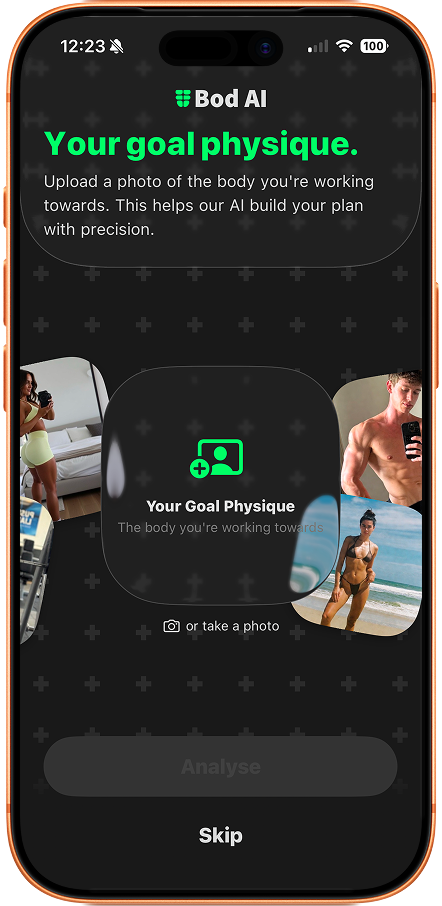
See a body you like? Upload it. Bod AI builds the workout to match.
Walk into the gym knowing exactly what to do, every time.


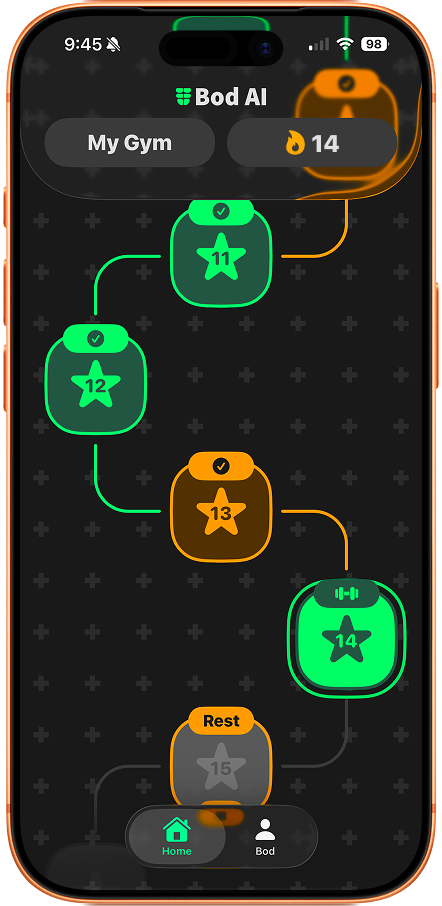
A home view that keeps you motivated
Your plan is shown as simple tiles, so progress feels visual and rewarding. Complete each tile and move down the line with a clear sense of momentum.
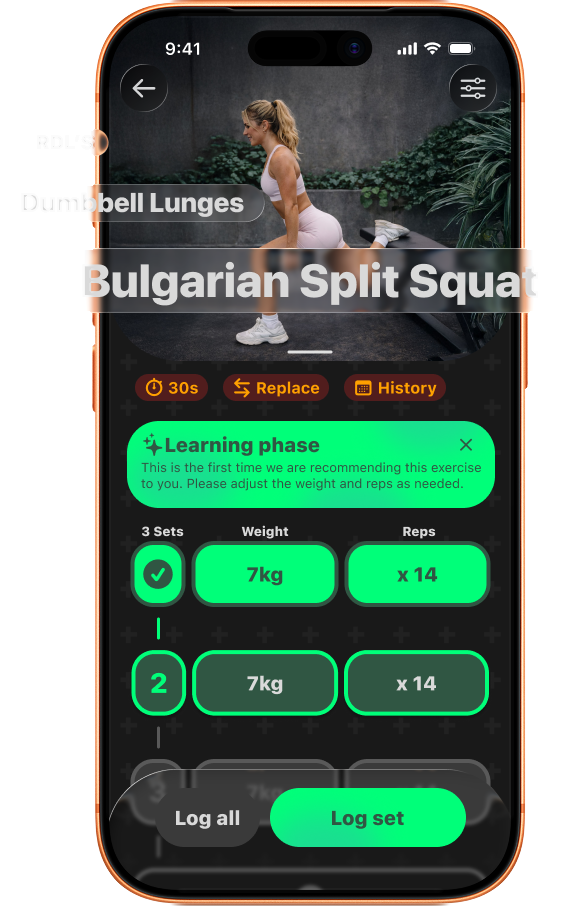
See every rep, set, and cue
Each exercise comes with clear coaching notes so you never wonder what to do or how to do it. Just follow the plan.
Your plan adapts as you grow
Weight goes up when you're ready. Volume adjusts to how you recover. The program evolves with you. No manual tweaking needed.
How it works
Download, upload, then walk in and train.
Download Bod AI
Free on the App Store. Takes two minutes to set up.
Upload a body
Find a body you like. Upload it. Bod AI builds the workout behind it.
Start training
Your workout is ready. Walk in and train. It does the thinking. You do the training.
Everything you need to train smarter
No guessing. No wandering around the gym. Just a plan that's ready when you are.
Steal their workout
See a body you like? Upload it. Get the workout behind it.
Plans that adapt
Your workout moves with you. Every session adjusts as you get stronger.
Get stronger every week
Weight and reps go up when you're ready. No guessing. Just progress.
Know every move
Simple coaching cues for every exercise. You'll never wonder what to do.
Recovery built in
Train what's ready. Rest what's not. Your plan handles the balance.
Keep showing up
Miss a day? Pick up where you left off. Consistency wins.
Questions
Straight answers. No runaround.
Bod AI is an iOS training app that builds workouts around your goals, schedule, equipment, and experience level.
It uses your onboarding profile and training feedback to generate workouts that fit how you train, then adapts over time.
Yes. You can update schedule, duration, fitness level, equipment, and workout preferences anytime in settings.
You can swap exercises during workouts, update your equipment list, and mark movements as "never suggest" so future plans adjust.
Bod AI tracks completed days, streaks, and workout stats. You can also take progress photos and compare sessions over time.
Yes. Progress photos are stored on your device and are not uploaded to Bod AI servers.
Yes. Bod AI uses a subscription model for full access after onboarding.
Bod AI is free to download. Full access requires a subscription after onboarding, with pricing shown in the App Store before you confirm.
First tap Restore Purchases in the app. Also confirm you're signed into the same Apple ID used for the purchase.
Check iOS notification permissions for Bod AI, confirm Focus/Do Not Disturb isn't blocking alerts, and review your in-app reminder window and quiet hours.
Yes. Subscriptions are managed through Apple ID settings, purchases can be restored in-app, and account/data deletion is available in settings.
Stop planning.
Start training.
Your workout is ready. Download Bod AI free.